System76 picked the Tuesday before Thanksgiving to drop a big one. Pop!_OS 26.04 LTS is out now, moving the company’s homegrown Linux distro onto the Ubuntu 26.04 LTS “Resolute Raccoon” base and bundling nearly a year of work on COSMIC, the Rust-built desktop that replaced Pop’s old customized GNOME setup back in 24.04.
The headline feature is a theming system called Constellations, but the release is just as interesting for what it does for gamers, drawing-tablet users and people who never want to think about updates again. There’s also some fine print worth reading before you wipe a drive, starting with the fact that existing 24.04 users can’t upgrade in place yet.
What’s actually new for desktop users
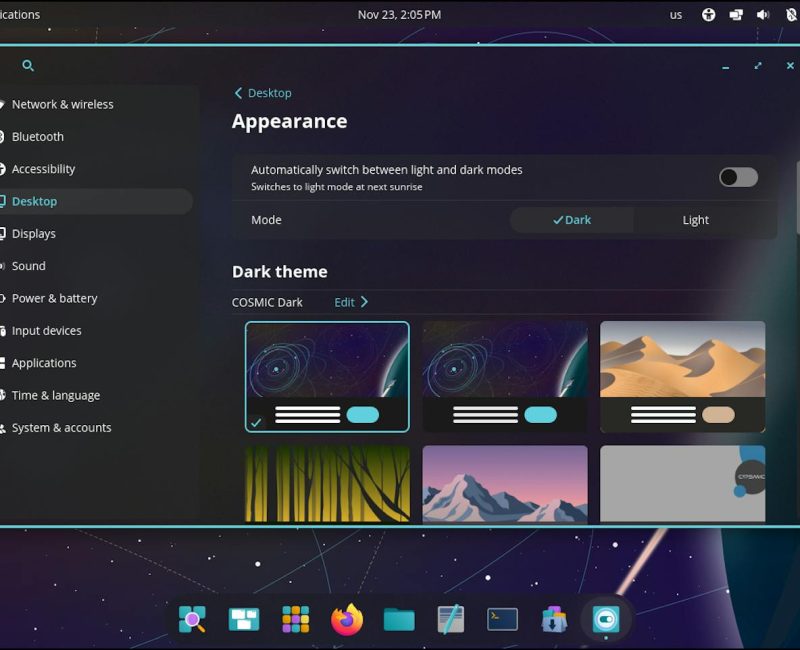
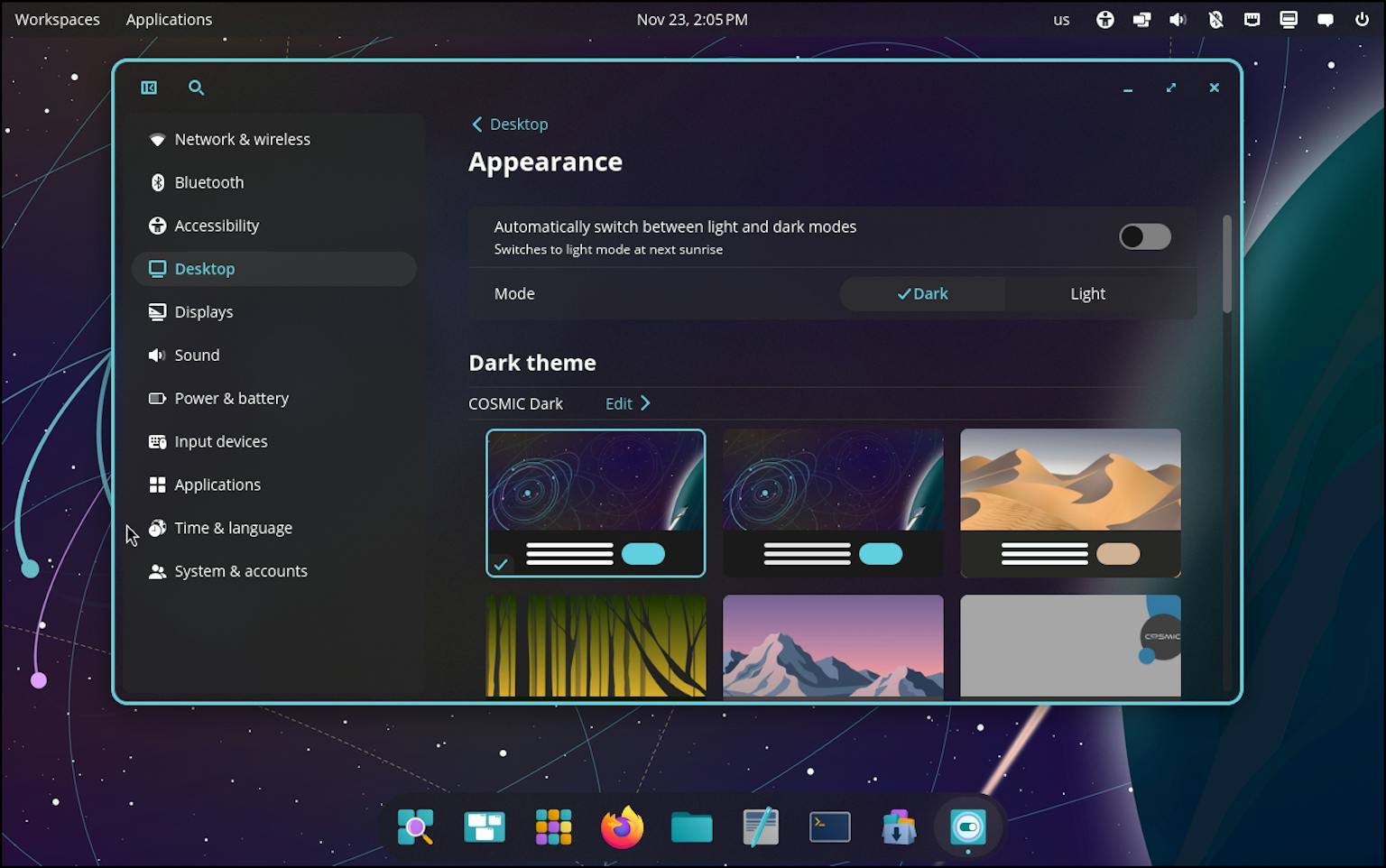
Constellations are bundled themes that swap your wallpaper, accent colors, icons and fonts in one click. Before this, getting a cohesive look on COSMIC meant hopping between several separate settings pages. Now you go to Settings, then Desktop, then Appearance, pick light or dark, and choose a theme. 9to5Linux counts eight of them at launch, including COSMIC, Dune, Mirror Grove, Still Peaks and four “Universe” color variants.
The smart part is that they aren’t locked presets. You can edit nearly everything, layer on COSMIC’s Frosted Glass effect, and export the result as a backup or to share. As OMG! Ubuntu points out, that makes each one a starting point rather than a finished skin. Not everyone loves the eye candy, and blur effects aren’t free on older hardware, but they’re optional.
Creative folks get real drawing tablet support with pen tilt, configured under Input Devices. System76’s announcement name-checks graphic design, photo editing, animation, CAD and GIS work, which is a fair list of things Linux desktops have historically made awkward. There’s also a new on-screen keyboard that works with touch and, interestingly, a gamepad.
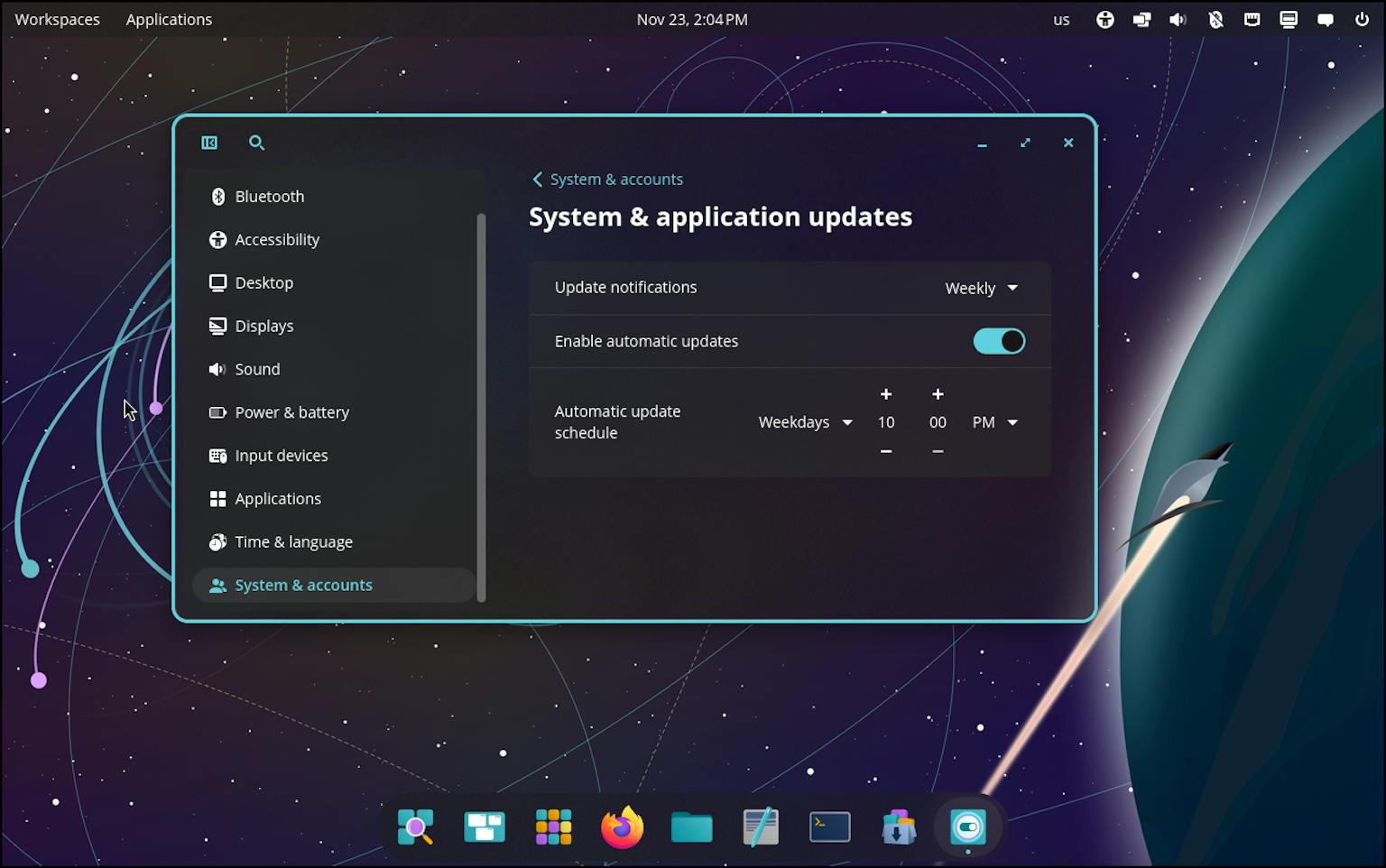
Automatic updates are the other quality-of-life win. You can switch them on during first-time setup or later under System & accounts, with a schedule for when they run. For a distro aimed at developers and creators who want a machine that just works, that’s overdue.
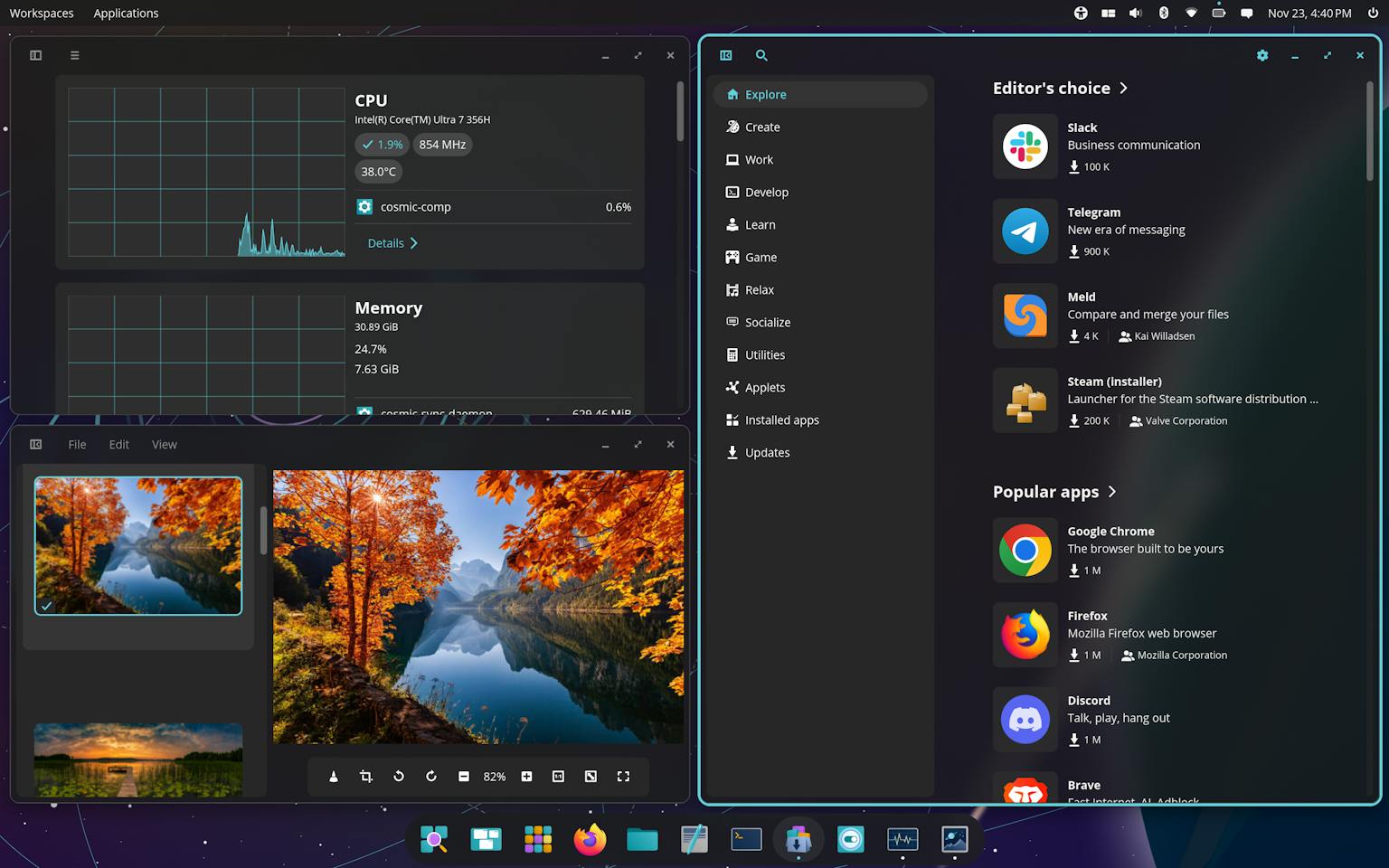
The native app lineup keeps filling in too. Pop!_OS 26.04 ships COSMIC Image Viewer, COSMIC System Monitor and a redesigned COSMIC Store with a screenshot gallery, and the Popsicle USB flashing tool has been ported to libcosmic. Remote desktop support has landed, along with accessibility upgrades like shake-to-find-cursor, scalable cursors, adjustable pointer size and better screen magnification. The official release notes also list Bluetooth device renaming, optional systemd-homed support in the login screen, and a pile of COSMIC Files fixes, including Android file transfers over MTP.
Here’s the honest caveat: if you’ve been running 24.04, a lot of this will feel familiar. COSMIC updates continuously, so most of these features already reached 24.04 through regular updates over the past year. System76 says itself that many 24.04 users “will have experienced” them already. What 26.04 really adds is the newer Ubuntu base and having everything baked in from the first boot.
Gaming, NVIDIA and the install fine print
For gamers, the change list is short but practical. Variable refresh rate now lives in Settings under Displays on supported monitors. COSMIC supports the Wayland pointer constraints protocol, which matters for games that need to lock your mouse inside the window. Fullscreen behavior and Steam Big Picture have been improved, you can control volume per app, and on hybrid-graphics laptops the App Library now tries harder to launch games on the right GPU. That last one has been a classic source of “why am I getting 30fps?” headaches on Linux laptops.
Under the hood, System76 lists COSMIC Epoch 1.12, Linux kernel 7.2.15, Mesa 26.2.3, Wayland 1.26 and NVIDIA driver 595.104.02 at release. Pop!_OS regularly updates kernels on existing releases, so expect those numbers to move.
Performance-wise, don’t expect a dramatic jump. Phoronix benchmarked 26.04 against a fully updated 24.04 on System76’s new Thelio Prime desktop, and both were already on Linux 7.2 with the same NVIDIA driver. The bigger differences come from the toolchain: the default compiler moves from GCC 13.2 to GCC 15.2, and Python 3.12 gives way to Python 3.14. That produced nice gains in Python workloads, while PHP and Firefox results barely changed and power draw held steady. Phoronix also called the release stable during a week of testing, which is the kind of boring news you want from an LTS.
Now the install details. System76’s download page offers four ISOs: a standard x86 image, a separate NVIDIA image, an ARM64 image, and an ARM64 NVIDIA image that covers the Thelio Astra workstation. Recommended specs are modest at 4GB of RAM and 16GB of storage, and you’ll need to disable Secure Boot in your firmware to install. That Secure Boot requirement is still a real annoyance for anyone dual-booting with a Windows install that expects it.
Pay attention if you own an older NVIDIA card. The NVIDIA ISO targets GTX 16-series and newer, while GTX 10-series and older owners are pointed to the standard image instead. That lines up with NVIDIA ending Pascal-era support after its 580 driver branch. If you’re still rocking a GTX 1060 or 1080, use the standard ISO and plan on setting up the legacy driver yourself. A few early commenters under the 9to5Linux story reported black screens after rebooting. That’s anecdotal and could be hardware-specific, but keeping a backup boot option handy on day one is just good practice.
The biggest catch is timing. In-place upgrades from Pop!_OS 24.04 LTS won’t be switched on until December, and System76 recommends a fresh install for “the full 26.04 experience.” If your current setup works, waiting a few weeks for the upgrade path, and the first round of bug fixes, is a perfectly reasonable move.
Cody’s take
I like where Pop!_OS is heading. COSMIC launched in 24.04 with real rough edges, and a year later the conversation has moved from “is it usable?” to “how do I make it look the way I want?” That’s a huge shift for a desktop System76 built from scratch. Constellations look like the kind of feature that gets people to actually stick with a new desktop instead of bouncing back to GNOME or KDE after a weekend.
It’s also a refreshingly focused release. While Canonical is previewing an AI-powered launcher for Ubuntu due in January, System76’s notes are all about themes, input devices, gaming fixes and updates. Whether that’s a better plan long-term is up for debate, but it’s easy to explain to users.
The tradeoffs are real, though. Fresh install only for now, Secure Boot off, a little extra homework for Pascal owners, and a feature list longtime users mostly already have. If you’re new to Linux and want a polished gaming-friendly desktop over the holiday break, grab the right ISO and give it a spin. If you’re happy on 24.04, sit tight until December’s upgrade path opens.
Author