FFmpeg rarely gets a launch-day spotlight, which is funny when you think about how much of your media life quietly runs through it. Streaming tools, video editors, browsers, media servers, Discord clips, that random script you copied off a forum in 2019 to turn a GIF into an MP4: there’s a good chance FFmpeg is underneath. So when the project ships a new stable release, it’s worth a look, and FFmpeg 9.1 “Gauss” is a more interesting one than the “.1” suggests.
According to the official download page, 9.1 was released on November 20, 2026, from a release branch that was cut from master on October 24. The project’s release notes put it at about three months after FFmpeg 9.0. The headline items are a reworked native AAC encoder, a Vulkan-based encoder for the APV professional video codec, a GPU frame interpolation filter, an optional libcurl networking path and a long tail of new formats.
Here’s what actually matters, and where the fine print is.
The default AAC encoder got a real overhaul
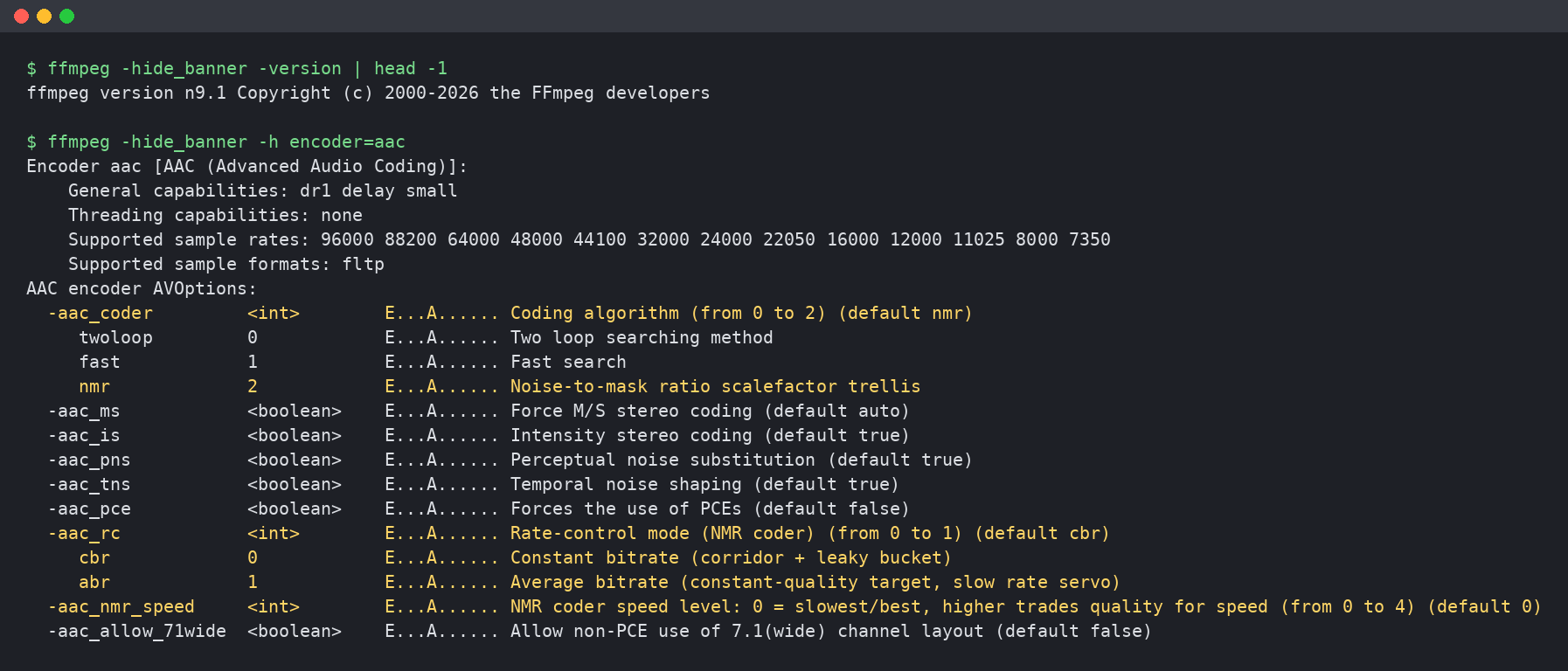
The changelog sums this one up in four words, “extensively improved AAC encoder,” which undersells it. Digging into the source shows the native aac encoder now defaults to a new coding method called nmr, a noise-to-mask ratio scalefactor trellis. In FFmpeg 9.0, the default was the long-standing twoloop method. That’s a big deal because the native AAC encoder is what a huge number of people get when they don’t specify anything else: screen recordings, quick re-encodes, YouTube uploads, you name it.
The new coder also brings better-defined variable bitrate behavior. Per the updated encoder documentation, VBR mode (the -q:a option) now holds a constant noise-to-mask target and lets the bitrate follow the content. A value of 1 lands near 128 kbps for typical stereo music, each doubling of the value raises the rate by roughly a third, and going above about 6 stops making a difference. There’s also a new aac_rc rate-control switch with two modes: cbr, which remains the default, and abr, an average-bitrate mode that keeps quality steady and nudges toward your target over minutes rather than seconds. A new aac_nmr_speed knob, from 0 to 4, trades quality for encoding speed, with the slowest, best-quality setting as the default.
The docs are refreshingly honest about the limits. ABR can drift off target on short files, and below roughly 56 kbps stereo it overshoots the requested rate, so the documentation tells you to stick with CBR there. The encoder will also now print a hint if you ask for 32 kbps per channel or less at a sample rate above 32 kHz, suggesting you resample to 32 kHz or lower for better quality. That’s the kind of practical nudge low-bitrate podcast and voice-chat encodes have needed for years.
One small wrinkle: in the 9.1 docs, the aac_coder option table still describes twoloop as the default, while the code and the VBR section say nmr. It’s a documentation lag, not a bug in your audio, but if you’re scripting around it, trust ffmpeg -h encoder=aac on your own build.
There’s also new xHE-AAC encoding through the external libfdk-xhe-aac library. xHE-AAC is the newer member of the AAC family that’s built to hold up at very low bitrates for both speech and music. The catch is licensing: the docs flag the library as incompatible with the GPL, so it requires a --enable-nonfree build. In plain terms, don’t expect to find it in your distro’s stock FFmpeg package.
GPU tricks, with the usual fine print
The flashiest addition is fruc_vulkan, a frame rate up-conversion filter. Instead of duplicating frames to hit a higher frame rate, it calculates forward and backward optical flow between neighboring frames and synthesizes motion-compensated in-between frames. According to the filter documentation, it defaults to a 60 fps target, offers slow, medium and fast quality presets (slow is the default), and lets you coarsen the flow grid to save speed and memory.
Here’s the catch: it relies on NVIDIA’s VK_NV_optical_flow Vulkan extension, which taps the optical flow engine on supported NVIDIA GPUs. So while it’s built on Vulkan, it isn’t a “works on any Vulkan GPU” feature, and Intel or other GPU owners won’t get it from this release. Motion interpolation also has well-known failure modes, such as warping around fast motion and occlusions, so treat it as a tool for specific footage, not a magic smoothness button for everything.
NVIDIA users get a second, more practical win. New NVDEC CUARRAY hardware acceleration lets decoded frames stay in CUDA array form, and per the NVENC docs, builds against Video Codec SDK 13.1 or newer can feed those frames straight into the encoder. That’s the kind of plumbing improvement that doesn’t make for a fun screenshot but can matter for GPU transcoding servers.
Elsewhere on the GPU side, there’s a Vulkan encoder for APV (Advanced Professional Video), building on the Vulkan APV decoding that arrived in 9.0. APV is an intra-frame codec aimed at recording and post-production, and the open reference implementation lives under the Academy Software Foundation’s OpenAPV project. Windows pipelines get a D3D12 DirectML zero-copy path for the ONNX Runtime backend used by FFmpeg’s neural network filters, and AMD’s AMF gets a Video Quality Enhancer filter, vqe_amf.
Networking gets an interesting opt-in too. FFmpeg 9.1 adds a libcurl protocol that, per the protocol docs, can reuse connections and use HTTP/2 and HTTP/3 multiplexing across, for example, HLS segments. The native HTTP client stays the default, though. You have to build with --enable-libcurl and then either prefix URLs with libcurl: or set prefer_libcurl. That cautious rollout is the right call for a library this many apps depend on.
The long tail is where FFmpeg always shines. There’s ASTC texture encoding and decoding via libastcenc with .astc and KTX 1.0 support, which game modders and texture tinkerers may appreciate. HDR photo workflows get a gain map filter plus JPEG Multi-Picture Format muxing and demuxing. You also get a Panasonic RW2 raw decoder, DVD-Audio LPCM decoding, a DSD encoder, H.264 data partitioning support, LCEVC handling across separate tracks and in MPEG-TS, a new graph-based bitstream filter API for developers and, delightfully, a muxer for the iTerm2 inline image protocol. On the removal side, the old asf_o demuxer is gone.
The release also lands right after some welcome infrastructure news. In a November 10 post, the project said its CI went from about 860 hours of jobs in April to over 4,000 hours in October, with queues of up to 18 hours building up. GitHub upgraded the FFmpeg organization to a free Team plan with Actions credits, and Blacksmith is covering runner minutes through its open source program. The project says queues have disappeared since. Faster CI won’t make headlines, but it’s a big part of how a volunteer-heavy project ships a release this dense.
Cody’s take
I’ll be honest: the AAC work is what got me. FFmpeg’s native AAC encoder has long had a reputation as “fine, but use something else if you care,” and changing the default coding method is a confident move. If it delivers, a lot of everyday audio, from game clips to podcast uploads, gets better without anyone touching a setting. I’d still wait for independent listening tests before declaring victory, and anyone with tuned encode scripts should A/B their output before upgrading production pipelines, since a new default coder means your files won’t sound byte-for-byte the same.
The GPU side is a mixed bag. Frame interpolation in FFmpeg itself is cool, but locking it to an NVIDIA extension limits who can actually use it. The APV encoder, libcurl path and texture formats feel more like long-term building blocks than flashy features, and that’s fine. That’s what FFmpeg is.
Practical advice: FFmpeg only ships source code, so most people will get 9.1 when their Linux distro, Homebrew, or a trusted Windows build provider like those listed on the download page packages it. Rolling-release distros will likely have it first, while LTS distros may never jump to it. If you’re a streamer, editor or tinkerer who builds from source anyway, this is a good one to grab. Everyone else, it’ll show up soon enough, and your audio might quietly sound a little better when it does.
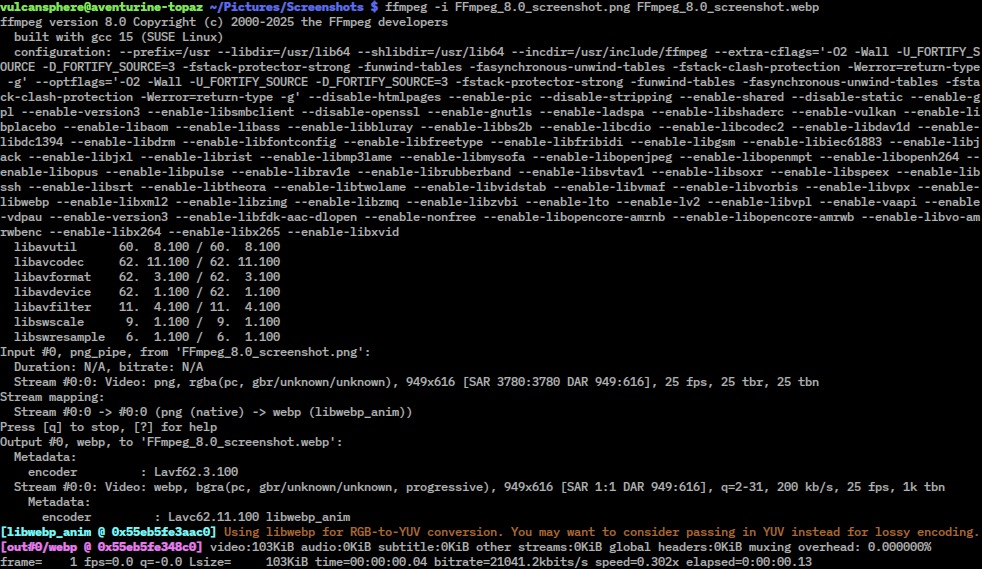
Featured image: FFmpeg logo (public domain, Wikimedia Commons) with version label added by 4GQTV. Terminal screenshot: 4GQTV, from FFmpeg 9.1 built from the official source. FFmpeg 8.0 screenshot: VulcanSphere / Wikimedia Commons, GPL.
Author